
Multi-Asset Review & Approval
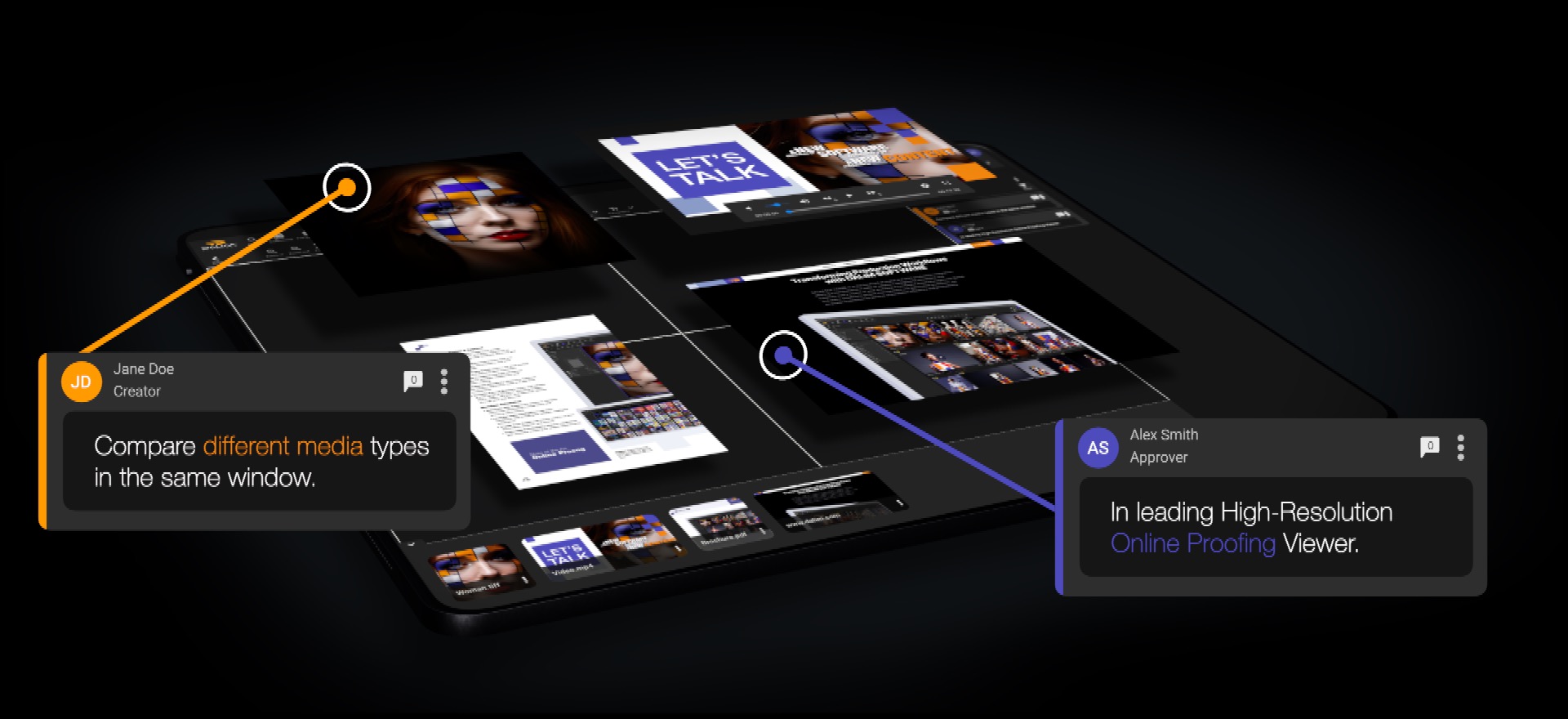
Review, compare, and approve all asset types in one place, with the audit trails and controls needed for compliance.
Business Benefits of Online Proofing.
Turbo‑charge your approval cycles!
Lower costs and higher ROI
Cut paper, printing and delivery expenses and reduce rework through clearer feedback. Supports corporate ESG goals.
Faster time-to-market
Streamlined reviews, fewer revision cycles and faster approvals accelerate campaign delivery.
Compliance & risk reduction
Locked revisions, recallable history and full audit trails prevent disputes and ensure accountability.
Support for diverse content
Annotate and compare digital, interactive, 3D, packaging, web/HTML and video within one workflow.
Collaboration and productivity
Centralized proofs, real-time updates, @mentions and voice notes eliminate fragmented email chains and speed decisions.
Centralized Collaboration & Fast, Accurate Proofing
DALIM FUSION centralizes review and approval into one secure, format‑agnostic workspace, ending email chains and fragmented toolsets. High‑resolution, color‑accurate previews, precise quality checks, and automated workflows shorten review cycles and prevent costly errors.
Annotate any asset—PDF, image, video, 3D, HTML, or audio—@mention collaborators, leave voice notes, assign statuses, and invite external reviewers via controlled links without granting system access. Every action is tracked with a full audit trail for accountability and compliance.
Comments & Annotations
Fast, Collaborative, & Format‑agnostic!
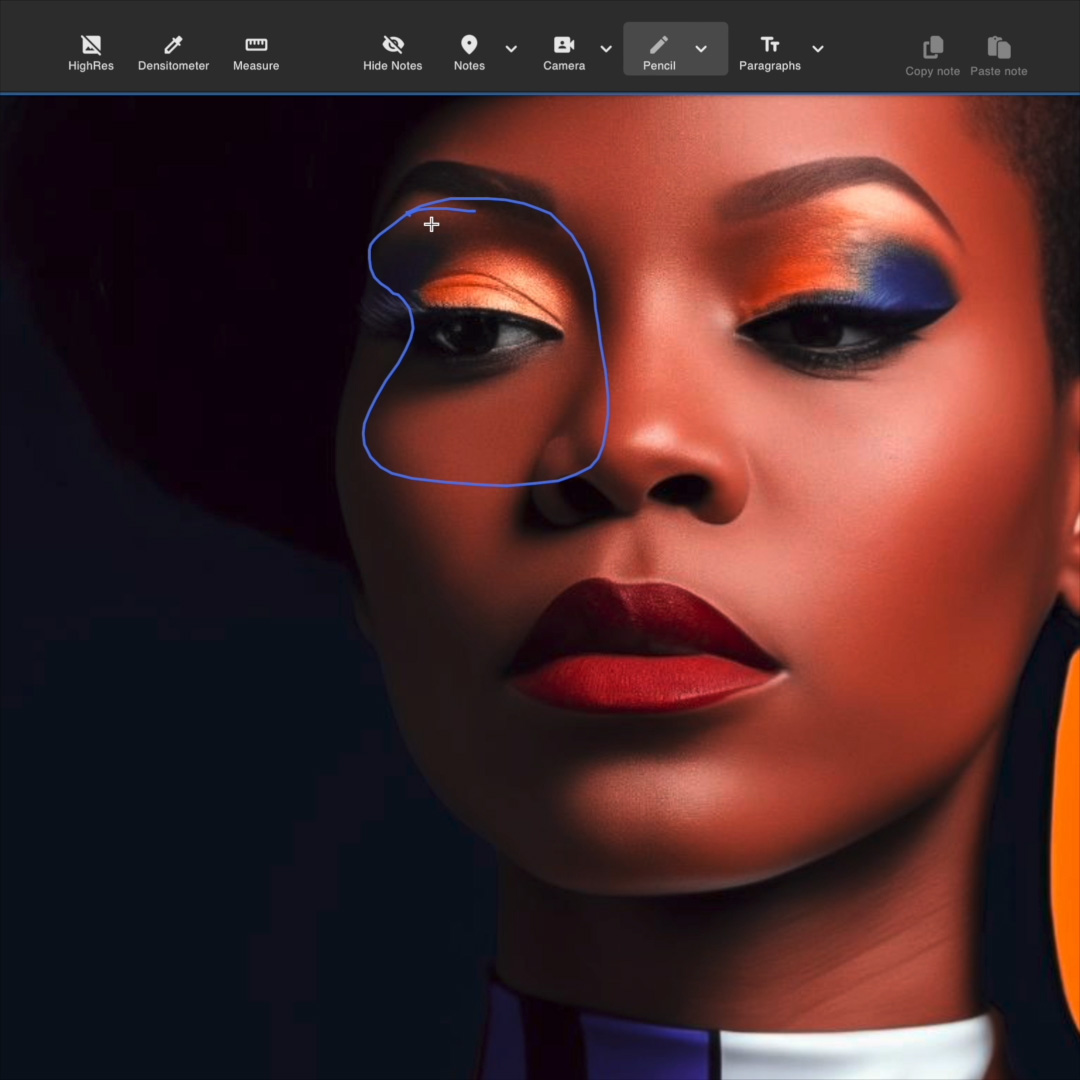
Annotate any file type with clear, actionable feedback!
- Precise Annotations
Note pins, free‑drawing, shapes, and proofing marks make suggestions unambiguous. - Dynamic Media Feedback
Review video with timestamped notes, or record screen/webcam and voice to explain changes. - Voice Notes
Leave short voice recordings tied to specific annotations. - Smart Collaboration & Accountability
@mention teammates, tag and assign statuses to comments.
High‑Resolution Digital Asset Viewer
Pixel‑perfect inspection, without the wait.
Experience flawless, browser‑based viewing for large images and complex files—zoom up to 1000% while preserving color and detail. Our smart renderer streams only the visible pixels, reducing load times and bandwidth so remote teams can review assets quickly and sustainably.
- Deep Zoom (up to 1000%)
Inspect fine detail and image integrity at extreme magnification. - Smart Rendering
Stream only visible pixels for fast loading and minimal bandwidth use. - Fast Remote Collaboration
Use the review interface on any device, anywhere in the world, overcoming time zones and location barriers for quick, seamless reviews./li> - Wide Format Support
View PSD, TIFF, PDF, high‑res images, product designs, videos, 3D, HTML, documents & more without conversion.
Color Accuracy Assurance
True color previews you can trust
Simulate color profiles and preview content in the browser with device‑accurate rendering, so on‑screen proofs match final output. Integrate with calibrated viewing booths and monitors for exact color matching when required, eliminating guesswork and multiple file versions.
- Profile Simulation
Emulate ICC and device color profiles to validate appearance across screens and print. - Calibrated Booth Integration
Sync previews with viewing booths and color‑calibrated monitors for certified matches. - Soft Proofing in Browser
Achieve accurate, color‑correct proofs without downloads or local apps. - Spot & Process Ink Checks
Verify spot colors and process separations to prevent surprises in production. - Audit‑Ready Color Reports
Generate color validation reports for QA and regulated workflows.
Version & Asset Comparison
Quickly validate consistency and accuracy at every stage of production, reduce rework, and speed.
Compare versions or assets in multiple modes — Side‑by‑Side, Overlay, Pixel‑Compare (diff), Split/Swivel, and Synchronized Playback — to match your review needs.
- Spot edits fast
Automatic visual diffing and overlays highlight text, layout, and pixel‑level changes. - Compare any combination
Versions of the same file, master vs. regional assets, or different campaign pieces (video, PDF, banner, photo) together. - Campaign‑wide perspective
Visualize all related assets simultaneously to ensure consistency across channels. - Multi‑format support
Compare PDFs, images, video, HTML, 3D, and more without conversion.
Version & Asset Comparison
Quickly validate consistency and accuracy at every stage of production, reduce rework, and speed.
Compare versions or assets in multiple modes — Side‑by‑Side, Overlay, Pixel‑Compare (diff), Split/Swivel, and Synchronized Playback — to match your review needs.
- Spot edits fast
Automatic visual diffing and overlays highlight text, layout, and pixel‑level changes. - Compare any combination
Versions of the same file, master vs. regional assets, or different campaign pieces (video, PDF, banner, photo) together. - Campaign‑wide perspective
Visualize all related assets simultaneously to ensure consistency across channels. - Multi‑format support
Compare PDFs, images, video, HTML, 3D, and more without conversion.
Version & Asset Comparison
Quickly validate consistency and accuracy at every stage of production, reduce rework, and speed.
Compare versions or assets in multiple modes — Side‑by‑Side, Overlay, Pixel‑Compare (diff), Split/Swivel, and Synchronized Playback — to match your review needs.
- Spot edits fast
Automatic visual diffing and overlays highlight text, layout, and pixel‑level changes. - Compare any combination
Versions of the same file, master vs. regional assets, or different campaign pieces (video, PDF, banner, photo) together. - Campaign‑wide perspective
Visualize all related assets simultaneously to ensure consistency across channels. - Multi‑format support
Compare PDFs, images, video, HTML, 3D, and more without conversion.
Version & Asset Comparison
Quickly validate consistency and accuracy at every stage of production, reduce rework, and speed.
Compare versions or assets in multiple modes — Side‑by‑Side, Overlay, Pixel‑Compare (diff), Split/Swivel, and Synchronized Playback — to match your review needs.
- Spot edits fast
Automatic visual diffing and overlays highlight text, layout, and pixel‑level changes. - Compare any combination
Versions of the same file, master vs. regional assets, or different campaign pieces (video, PDF, banner, photo) together. - Campaign‑wide perspective
Visualize all related assets simultaneously to ensure consistency across channels. - Multi‑format support
Compare PDFs, images, video, HTML, 3D, and more without conversion.
Analysis Tools
Faster, More Accurate Decisions
Powerful inspection and measurement tools help you catch issues early and validate production and digital readiness with confidence.
- Densitometer
Precise color readings for accurate color control across print and digital assets. - Layer & Channel Inspection
View and isolate individual design elements or separations for targeted review. - Zoom & Pixel‑Level Inspection
Inspect fine detail and image integrity at high magnification. - Measurement Tools
Measure distances, angles, areas, and more to verify layout and scale.
- Barcode Reader
Quickly validate multiple barcode formats for reliable scanning and distribution. - Gamut & Area Ink Coverage
Evaluate color gamut and area ink coverage to ensure color fidelity and printability. - Annotated Readings
Capture measurements and attach comments directly to readings for clear, actionable feedback.

Approval Workflows
Automate, adapt, and accelerate approvals with purpose‑built orchestration.
Streamline approvals with structured, efficient workflows that eliminate bottlenecks and keep projects on schedule.
- Flexible Workflow Builder
Create simple or complex approval flows with drag‑and‑drop ease or define rules with data‑driven triggers. - On‑Demand Review Cycles
Spin up ad‑hoc reviews instantly for one‑off projects without touching templates.
- Integrated Proofing
Embed approval workflows inside the online proofing tool or include proofing as a step in wider end‑to‑end processes that cover project planning, file transformations, delivery, and more. - Automated Routing & Escalation
Route assets automatically to the right stakeholders, with built‑in escalation for missed deadlines. - Audit Trail & Compliance
Capture every action, comment, and sign‑off with immutable logs, timestamps, and user attribution to meet regulatory requirements and provide defensible evidence for regulated industries. - KPI & Bottleneck Visibility
Monitor cycle times and identify hold‑ups to continuously optimize throughput.
Lower costs and higher ROI
Cut paper, printing and delivery expenses and reduce rework through clearer feedback. Supports corporate ESG goals.
Faster time-to-market
Streamlined reviews, fewer revision cycles and faster approvals accelerate campaign delivery.
Compliance & risk reduction
Locked revisions, recallable history and full audit trails prevent disputes and ensure accountability.
Flexible Integration & Embeddable Proofing
DALIM FUSION'S plugs advanced online proofing directly into your existing tech stack — PIM, MIS, ERP, DAM, or custom systems — via a full SDK and powerful REST API. Use the platform out of the box, embed the viewer into third‑party applications, or call services headlessly through microservices and prebuilt connectors.
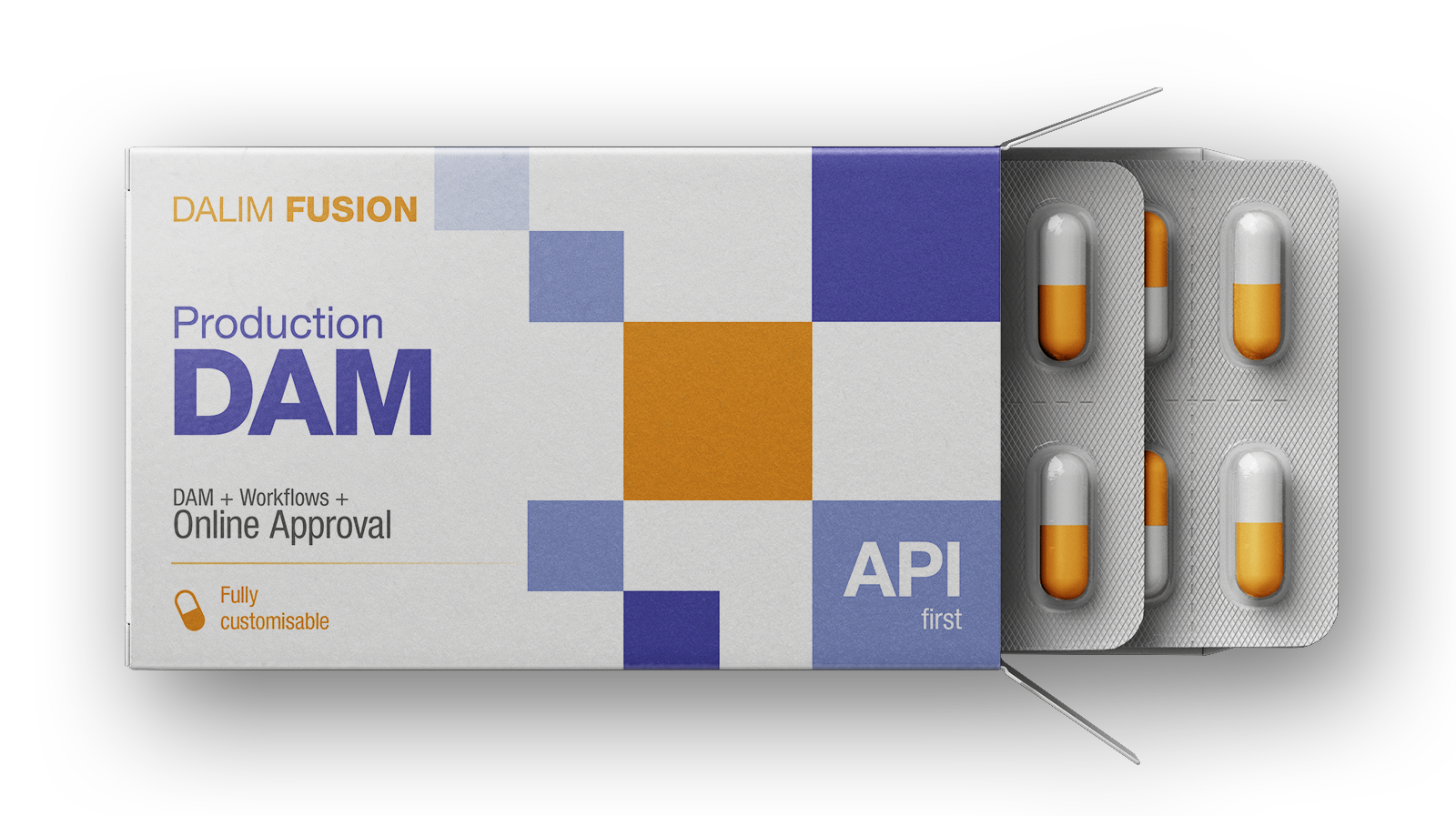
- Seamless Embedding — Integrate the DALIM viewer inside your own UI so teams can review and approve without leaving familiar apps.
- API & SDK First — Comprehensive APIs and SDKs enable deep integrations, automation, and custom workflows.
- Headless & Modular — Run proofing as a headless service or pick individual components to augment existing processes.
- Enterprise Connectors — Prebuilt adapters speed integration with common enterprise systems and reduce implementation time.
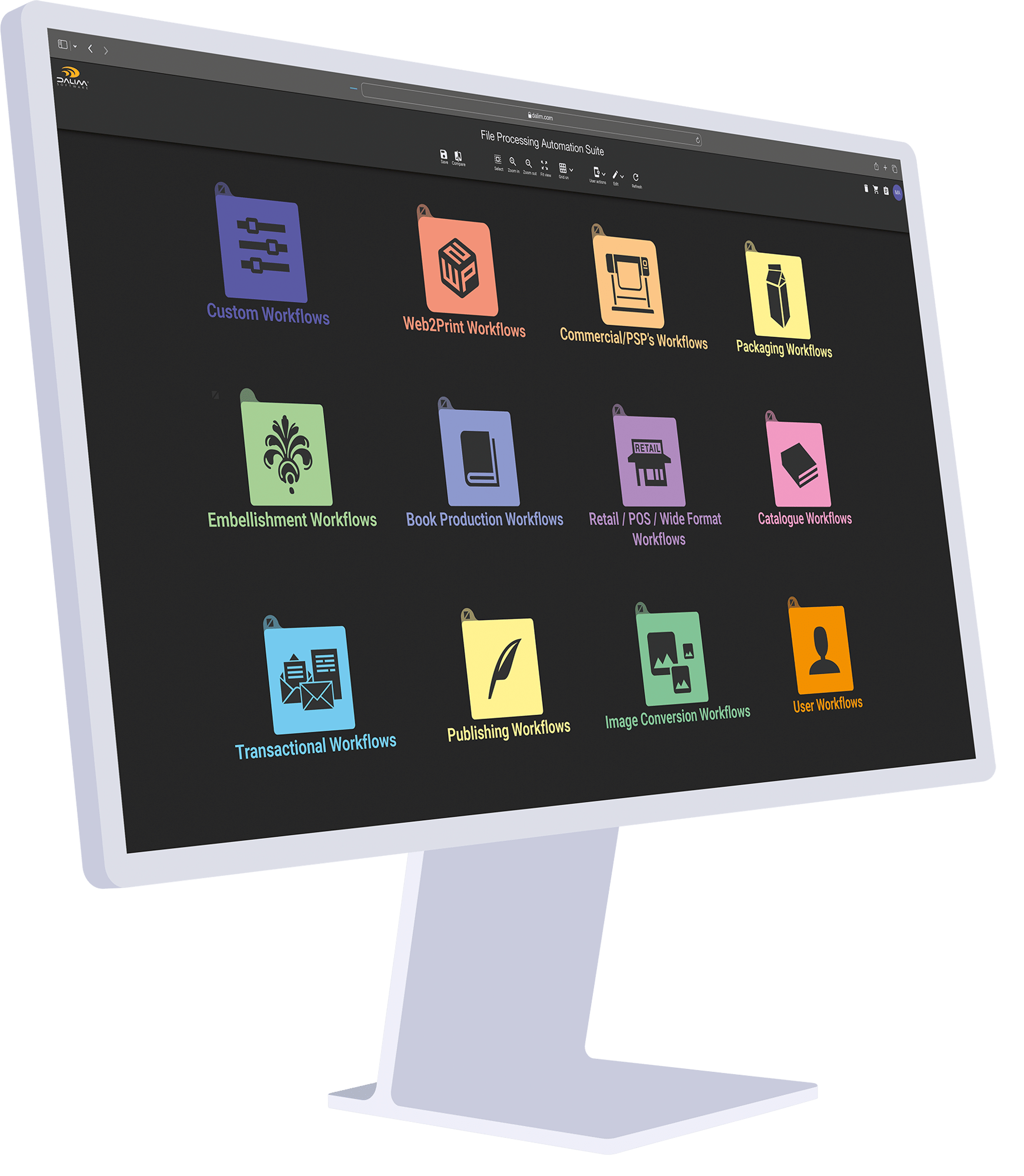
Pre‑Flight & Automated File Validation — Before Proofing Even Begins!
Catch file integrity issues before review—an optional, gateable step that saves time and reduces rework by ensuring only technically sound proofs are inspected.
- Automated Pre‑Flight — Validate files for technical integrity (crops, bleeds, resolution, fonts) before any reviewer sees them.
- File Transformation & Optimization — Automatically convert, flatten, or repackage assets for consistent rendering across platforms.
- Color Management & Trapping — Apply color profiles, simulate output, and add trapping to ensure faithful color and print behavior.
- Standards Compliance — Enforce rule sets and industry standards to prevent downstream failures.
- Gate Before Review — Run checks as a required step so only technically sound proofs enter the review cycle, accelerating approvals and protecting reviewer time.
How Quad built a platform that can handle it all.
While most of the production staff was on premises, a large part of Quad’s admin team was working from home, along with many Quad clients. The ability to access the platform anywhere, based on anyone’s own local band-width connectivity, let our staff do everything they needed without being in the room. The annotation ability while reviewing proofs—allowing clients and internal Quad people communicate seamlessly within that tool set—was a big success,” comments Oleksak. “Our customers did not necessarily have access to hands-on proofs. So, they were working in a soft proofing world. DALIM SOFTWARE solutions made it possible to easily conduct color accurate viewing, and would have proven difficult without it.”
Read the full story how Quad leveraged DALIM SOFTWARE solutions to serve as a complete premedia workflow solution— including preflighting, trapping, color, rendering, flatplanning, and soft proofing review and approvals.
Ready to Transform Your Proofing Processes?

Experience unparalleled accuracy and efficiency in online proofing that meets the demands of today’s fast-paced market.
Book Your Demo Today and Start Revolutionizing Your Online Proofing!